Follow these in order. Don't skip.
Install Claude Code in 60 seconds
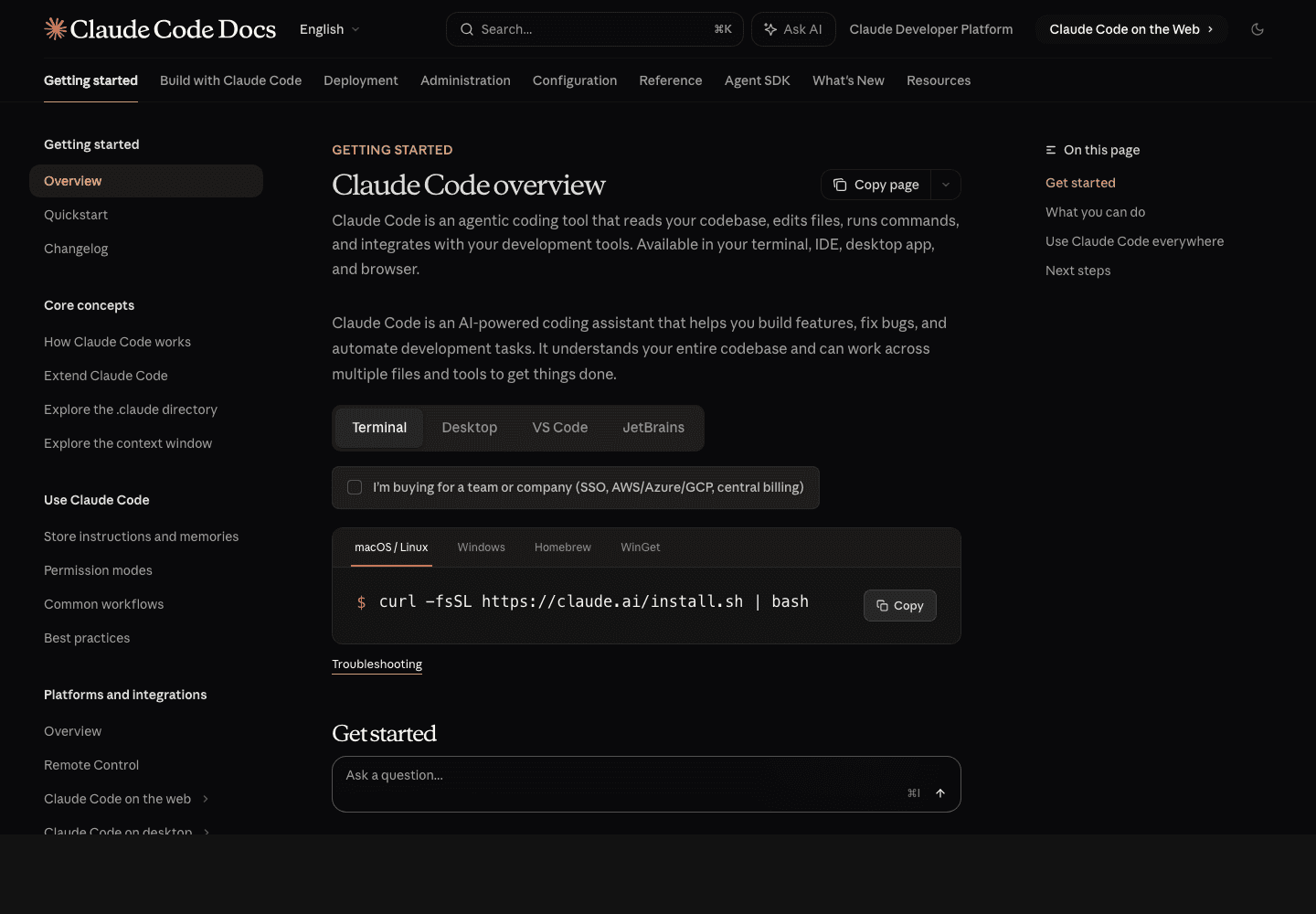
It's just an npm install. Don't overthink the setup — we tune everything in the next steps.
1# 1. Install globally2npm install -g @anthropic-ai/claude-code3 4# 2. Verify5claude --version6 7# 3. Authenticate (opens browser)8claude9# → choose "Claude.ai (Pro/Max)" — uses your $20/mo subscription, no API key neededThe single config that fixes 80% of bad sessions
Out of the box, Claude Code asks permission for every tool call. After 200 of those, you'll never use it again. Fix it once.
Create ~/.claude/settings.json — global, applies to every project. This is the most important file in your setup.
1{2 "permissions": {3 "allow": [4 "Bash(git status)",5 "Bash(git diff:*)",6 "Bash(git log:*)",7 "Bash(npm run *)",8 "Bash(npm install:*)",9 "Bash(ls:*)",10 "Bash(cat:*)",11 "Bash(grep:*)",12 "Bash(rg:*)",13 "Bash(find:*)",14 "Bash(jq:*)",15 "Read",16 "Glob",17 "Grep"18 ],19 "deny": [20 "Bash(rm -rf:*)",21 "Bash(git push --force:*)"22 ]23 },24 "model": "claude-sonnet-4-6",25 "env": {26 "BASH_DEFAULT_TIMEOUT_MS": "120000"27 }28}Project-level CLAUDE.md — Claude's onboarding doc
Drop a CLAUDE.md at your repo root. Claude Code reads it on every session. Use it to encode conventions so you don't have to repeat yourself.
1# Project — `my-saas`2 3## Stack4- Next.js 16 App Router · React 19 · TypeScript · Tailwind v45- Supabase (Postgres + auth) · Stripe · Vercel6- Tests: Vitest7 8## Conventions9- Server Components by default. `'use client'` only when you need state/effects.10- Import alias: `@/*` → `./src/*`11- Database access: only in server code. Never expose service-role keys.12- All API routes return `{ ok: boolean, data?, error? }`.13 14## Commands15```bash16npm run dev # localhost:300017npm run build # production build18npm run test # Vitest19```20 21## What you must NOT do22- Don't commit .env files.23- Don't auto-format files outside the diff scope.24- Don't add new dependencies without asking.25 26## Where things live27- src/app/ — routes28- src/components/ — UI29- src/lib/ — server utils30- supabase/ — migrationsSlash commands — your reusable workflows
Anything you do twice should be a slash command. Stored as plain markdown in .claude/commands/, invoked with /<name>.
1Run this checklist before I open a PR:2 31. `npm run lint` — fix every warning, don't skip42. `npm run test` — every test passes53. `npm run build` — clean build with no errors64. Run `git diff main` and review for:7 - debug `console.log` left behind8 - commented-out code9 - hard-coded secrets or local URLs105. Write a one-paragraph PR description with:11 - what changed12 - why13 - how I tested it146. Stage everything, create commit, push branch.15 16If any check fails, STOP and tell me what broke. Do not proceed.Now in any chat, just type /ship. Claude runs the entire checklist. Build a library of these: /review, /debug, /migrate, /ship. They compound.
Subagents — parallel specialists for big jobs
When a task is too large for one context window, fan it out. Each subagent gets its own scratch space and reports back a summary.
Drop this in .claude/agents/code-reviewer.md and Claude will spawn a fresh subagent on demand.
1---2description: Independent code review of staged changes — security, perf, conventions3tools: Read, Grep, Glob, Bash(git diff:*)4---5 6You are a senior code reviewer. Read the staged diff with `git diff --cached`.7 8Check for:9- Security issues (XSS, SQL injection, exposed secrets, unvalidated input)10- N+1 queries, missing indexes, sync work in async paths11- Project conventions (see CLAUDE.md)12- Tests covering the new behavior13 14Report a punch list — issues found, severity, file:line. No code suggestions, just findings.Hooks — automate the boring parts
Hooks fire on session events. Use PostToolUse to auto-format on every save. Use Stop to run tests when Claude finishes.
1{2 "hooks": {3 "PostToolUse": [4 {5 "matcher": "Edit|Write",6 "hooks": [7 {8 "type": "command",9 "command": "npx prettier --write $CLAUDE_FILE_PATH 2>/dev/null || true"10 }11 ]12 }13 ],14 "Stop": [15 {16 "hooks": [17 {18 "type": "command",19 "command": "cd $CLAUDE_PROJECT_DIR && npm run test --silent 2>&1 | tail -5"20 }21 ]22 }23 ]24 }25}MCP servers — give Claude access to your real tools
Model Context Protocol lets Claude call your databases, deploy platforms, ticket trackers, etc. Wire it up once, available everywhere.
1# Add Supabase MCP — query your db from inside Claude2claude mcp add supabase npx @supabase/mcp-server3 4# Add Vercel MCP — deploy + check logs5claude mcp add vercel npx @vercel/mcp-server6 7# Add GitHub MCP — issues, PRs, code search8claude mcp add github npx @github/mcp-server9 10# List active servers11claude mcp listNow you can say things like "check the deploy log for the last commit on main" or "run select count(*) from users" — Claude calls the right tool with no glue code.
The 4 prompts that unlock 90% of value
Most people prompt Claude Code like ChatGPT. Wrong frame. Treat it like a teammate. These four prompts cover most real work.
- ▸"Read the codebase. Don't change anything yet. Then describe how X works in your own words." — forces a read-only audit before any edit.
- ▸"Plan the change. List the files you'll touch and why. Don't write code yet." — surfaces architecture issues before they're sunk cost.
- ▸"Make the change. Run lint + tests after every save. If anything fails, stop and ask me." — keeps the loop tight.
- ▸"Review your own diff like a senior engineer would. What would you flag?" — catches the 20% of bugs that slip through.
- Claude Code installed and authenticated with your Pro plan
- ~/.claude/settings.json with your read-only allowlist
- Project CLAUDE.md describes your stack, conventions, commands
- At least one slash command in .claude/commands/ — start with /ship
- At least one subagent in .claude/agents/ — start with code-reviewer
- At least one MCP server connected (Supabase, GitHub, or Vercel)
- You used the read → plan → execute → review pattern on a real change